
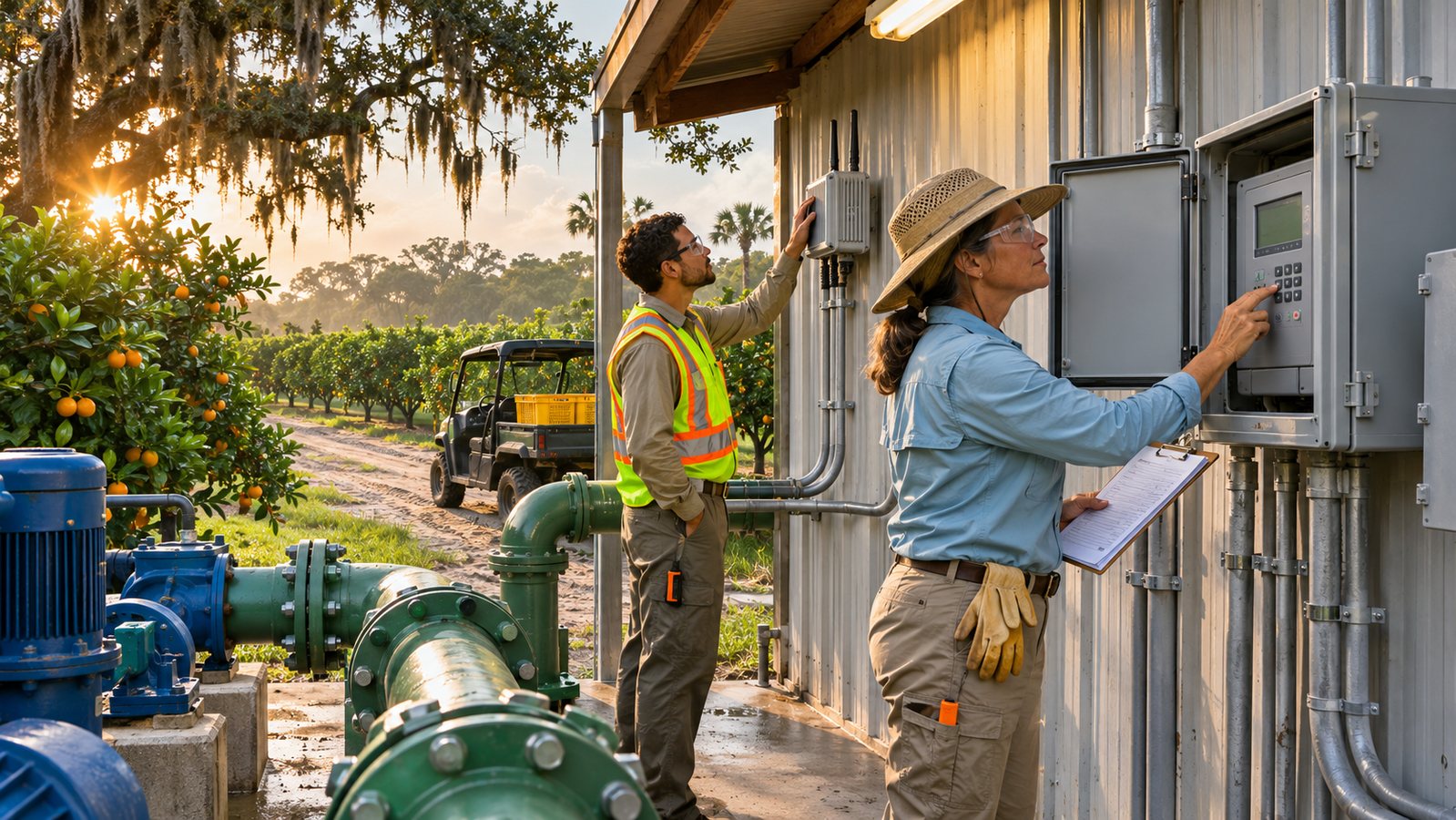
<p>Central Florida agriculture increasingly depends on connected systems: irrigation controllers, environmental sensors, refrigeration, packing equipment, GPS and precision-agriculture platforms, cloud accounting, payroll, email, and remote vendor support. Those tools improve visibility and productivity, but they also connect field and facility operations to cyber risks that can interrupt physical work.</p>
<p>The FBI and CISA have warned that food and agriculture organizations are attractive ransomware targets, including smaller organizations that may be seen as easier to disrupt. Federal reporting has also documented attacks timed around planting and harvest periods, when interruptions carry greater operational pressure. This guide translates that risk into practical steps for farms, nurseries, packing houses, cold-storage operators, and other Central Florida agribusinesses.</p>
<p>This article provides general cybersecurity information, not legal, regulatory, insurance, or safety advice. Each operation should coordinate changes to production equipment with its qualified operators, equipment vendors, safety personnel, insurer, and counsel.</p>
<h2>Start with the operation, not the office network</h2>
<p>An agricultural cyber plan should begin with the work that must continue. For each critical product or service, identify the technology, people, utilities, vendors, and data it requires. A useful map includes:</p>
<ul>
<li>Irrigation pumps, fertigation, greenhouse controls, weather stations, moisture sensors, and remote telemetry.</li>
<li>Packing, labeling, scales, inventory, traceability, refrigeration, and cold-storage monitoring.</li>
<li>Farm-management, precision-agriculture, GPS, drone, and equipment-vendor platforms.</li>
<li>Email, Microsoft 365 or Google Workspace, accounting, banking, payroll, timekeeping, and seasonal-worker onboarding.</li>
<li>Internet service, cellular links, power, generators, fuel, water, and critical third-party support.</li>
</ul>
<p>For every dependency, record the business owner, technical owner, vendor contact, administrative access method, safe manual fallback, and maximum tolerable outage. The objective is not merely an IT inventory. It is a picture of how a digital failure becomes a production, safety, quality, or revenue problem.</p>
<h2>Separate business systems from operational equipment</h2>
<p>A phishing email should not provide a direct path to an irrigation controller, packing line, or refrigeration system. Place business IT, guest access, cameras and miscellaneous connected devices, and operational technology on appropriately separated networks. Control traffic between them and allow only the connections the operation actually needs.</p>
<p>Do not expose controllers or remote-desktop services directly to the public internet. Require approved, logged remote access with multifactor authentication. Where older equipment cannot support modern safeguards, use network boundaries, monitored gateways, vendor restrictions, and documented compensating controls.</p>
<h2>Control vendor and remote access</h2>
<p>Remote support is often essential when equipment vendors are hours away. It should also be time-limited and accountable. Maintain an inventory of every vendor with remote capability and document:</p>
<ul>
<li>The system the vendor can reach and the business reason for access.</li>
<li>A named account rather than a shared generic login.</li>
<li>Multifactor authentication and an approved access path.</li>
<li>Who authorizes access, how long it remains active, and how activity is logged.</li>
<li>How the account is disabled when service ends or a technician changes roles.</li>
<li>Who to contact during an incident and what logs the vendor can provide.</li>
</ul>
<p>Review this list before planting, harvest, peak shipping periods, and hurricane season. Forgotten support accounts can outlive the equipment or contract that created them.</p>
<h2>Protect identity before buying more security tools</h2>
<p>Business email compromise can redirect supplier, payroll, or equipment payments without deploying malware. Require multifactor authentication for email, financial systems, remote access, cloud administration, and critical vendor portals. Use separate administrator accounts for configuration work, and do not use those accounts for routine email or web browsing.</p>
<p>Establish a second-channel verification rule for new bank details, unusual payment requests, payroll changes, and urgent messages from executives or vendors. Call a previously verified number; do not use contact information supplied in the request being verified.</p>
<p>Seasonal staffing deserves a defined access process. Give each worker only the systems required for the role, set an end date when possible, and disable access promptly at departure. Shared passwords make investigation and revocation difficult.</p>
<h2>Patch safely and know what cannot be patched</h2>
<p>Keep supported operating systems, firewalls, computers, mobile devices, and business applications current. For operational equipment, coordinate updates with the equipment maker and production owner, test when feasible, and schedule changes around operational windows. An unplanned controller update can be as disruptive as an unpatched flaw.</p>
<p>Create an exception register for systems that cannot be updated. Record the reason, owner, exposure, network boundary, remote-access restrictions, monitoring, backup or configuration-export method, and replacement plan. Unsupported systems should be visible business risks rather than invisible technical debt.</p>
<h2>Back up the information needed to restart work</h2>
<p>Backups should cover more than office documents. Include controller configurations, recipes and setpoints, equipment programs, network and firewall settings, supplier and customer records, traceability data, payroll, accounting, and essential contact lists. Keep at least one protected copy that routine administrator credentials and ransomware cannot alter.</p>
<p>Test restoration with the people who use the system. Record the backup selected, restore destination, elapsed time, missing dependencies, and whether the restored information was usable. A successful backup job is not proof of a successful recovery.</p>
<h2>Prepare manual and alternate workflows</h2>
<p>For time-sensitive operations, write short procedures that can be used when normal systems are unavailable. Examples include manual irrigation checks, temperature recording, shipping documentation, employee communication, payroll contingencies, supplier coordination, and safe equipment shutdown. Store controlled offline copies where supervisors can reach them.</p>
<p>Do not create an unsafe workaround. Equipment safety interlocks, food-safety controls, environmental requirements, and operator procedures still apply during a cyber incident. Define who has authority to stop production, isolate a network, approve a fallback, and restart equipment.</p>
<h2>Central Florida continuity considerations</h2>
<p>Cyber recovery and hurricane continuity should reinforce each other. A storm can disrupt power, cellular service, internet access, vendor availability, and physical access at the same time a team is trying to evaluate a security event. Confirm that offline contacts, generator dependencies, alternate communications, backup access, and recovery responsibilities remain usable during regional disruption.</p>
<p>Central Florida operations may also have concentrated seasonal windows. Before a critical planting, harvest, shipping, or nursery cycle, freeze unnecessary technology changes, verify vendor contacts, review privileged access, confirm protected backups, and conduct a short response exercise.</p>
<h2>A practical 30-day improvement plan</h2>
<ol>
<li><strong>Week 1:</strong> identify the five operations whose outage would cause the greatest safety, quality, animal welfare, crop, or revenue impact.</li>
<li><strong>Week 2:</strong> map their connected systems, remote-access paths, vendors, administrator accounts, and network boundaries.</li>
<li><strong>Week 3:</strong> enable multifactor authentication, remove unused accounts, restrict remote access, and confirm patch and exception ownership.</li>
<li><strong>Week 4:</strong> test one representative restore and run a tabletop exercise involving an unavailable business system and one affected operational process.</li>
</ol>
<h2>Questions to ask at the next operations meeting</h2>
<ul>
<li>Which connected system could stop irrigation, packing, refrigeration, or shipping?</li>
<li>Can business email reach operational equipment directly or indirectly?</li>
<li>Which vendors can connect remotely today, and is their access logged?</li>
<li>How are payment and payroll changes independently verified?</li>
<li>Can we restore controller configurations and production records without the normal network?</li>
<li>Who can safely isolate systems after hours?</li>
<li>What will supervisors do if internet and cellular service are both unavailable?</li>
</ul>
<h2>Build resilience around the farm's real work</h2>
<p>NIST Cybersecurity Framework 2.0 organizes cybersecurity around Govern, Identify, Protect, Detect, Respond, and Recover. For an agribusiness, those functions become useful when they are tied to real crops, animals, facilities, shipments, employees, and customers.</p>
<p>GebhardCS can help Central Florida farms and agribusinesses map IT and operational dependencies, secure Microsoft 365 and remote access, segment networks, document vendor controls, protect backups, and test recovery without losing sight of production and safety. The goal is a connected operation that can keep working—or recover predictably—when technology fails.</p>